Will you make it to the next paycheck?
Budget by Paycheck
Type how you are paid and your bills, once. The file puts every bill on the paycheck that pays it and shows what is really yours to spend until the next one, with your whole year paycheck by paycheck.
- Every bill on the paycheck that pays it, up to 100 bills
- Weekly, every 2 weeks, twice a month or monthly pay
- What-if: see what $50 less per paycheck changes
- Excel 2016+ and Google Sheets, on a computer
$6.99
One-time purchase
Instant download
Instant download
In the download: the Excel file (.xlsx) and the Quick Start PDF, with your Google Sheets copy link and the video tutorial.
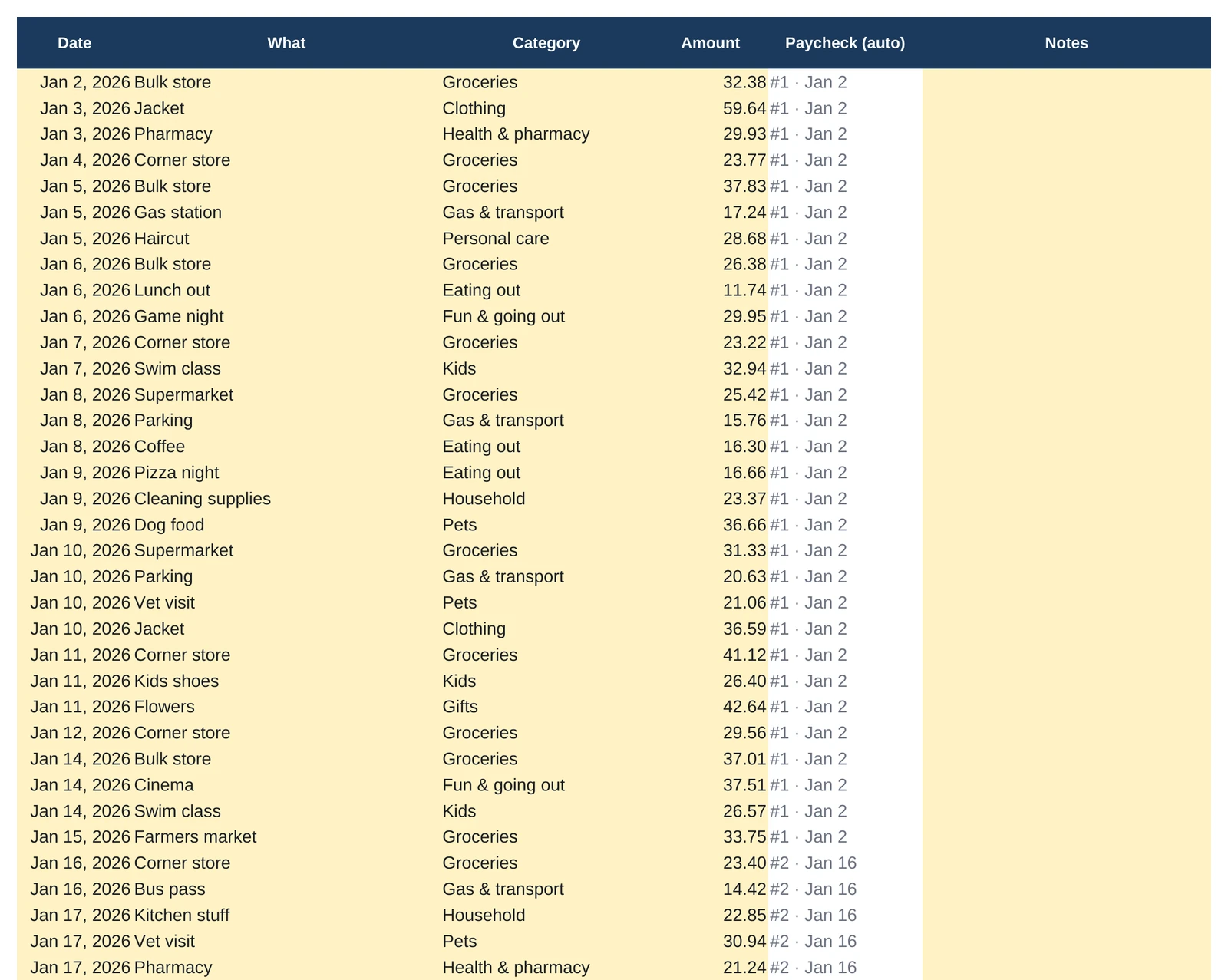
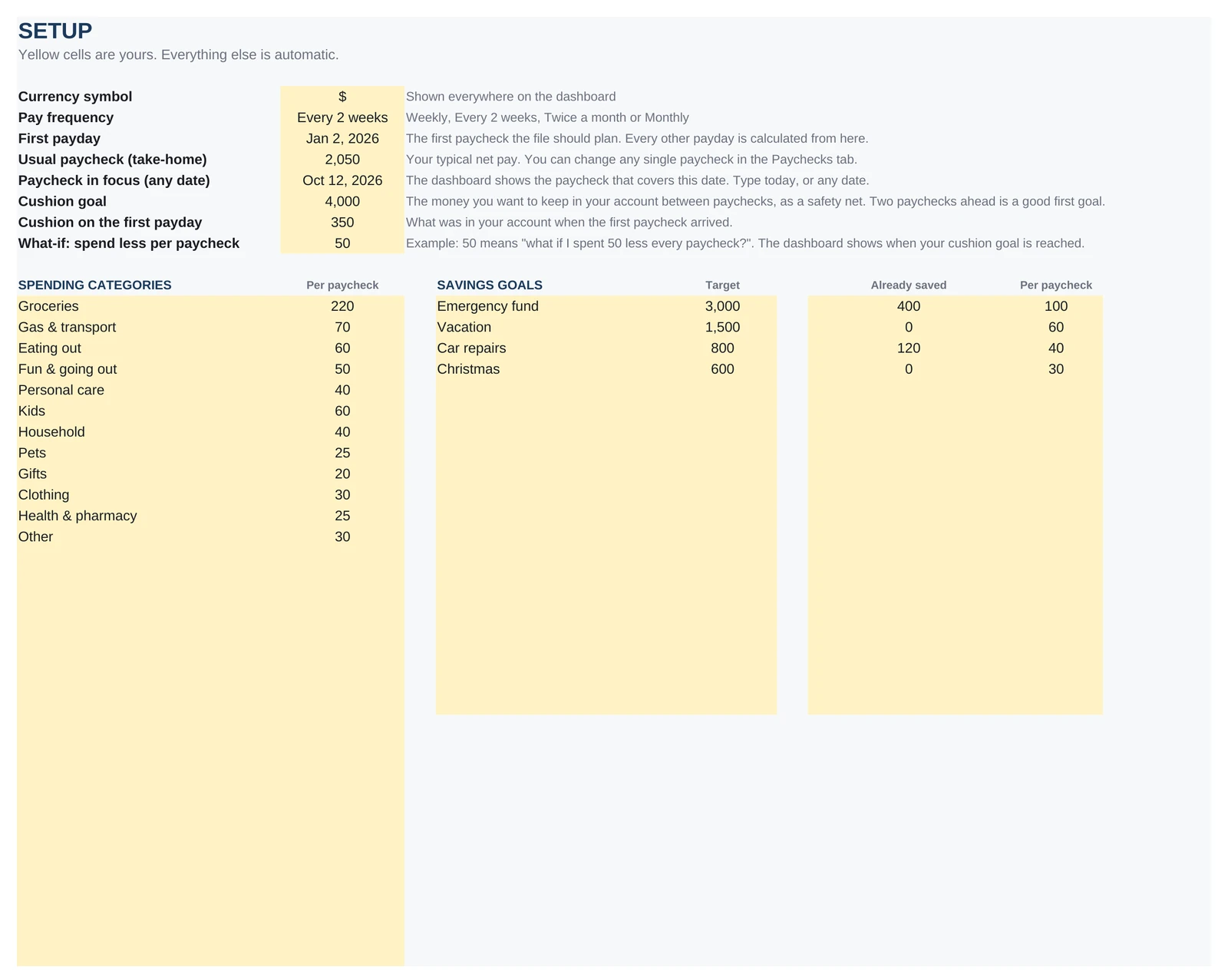
Every image is the real file, with its sample dataClick a tab, click to zoom
The dashboard
The answer, on the first screen.
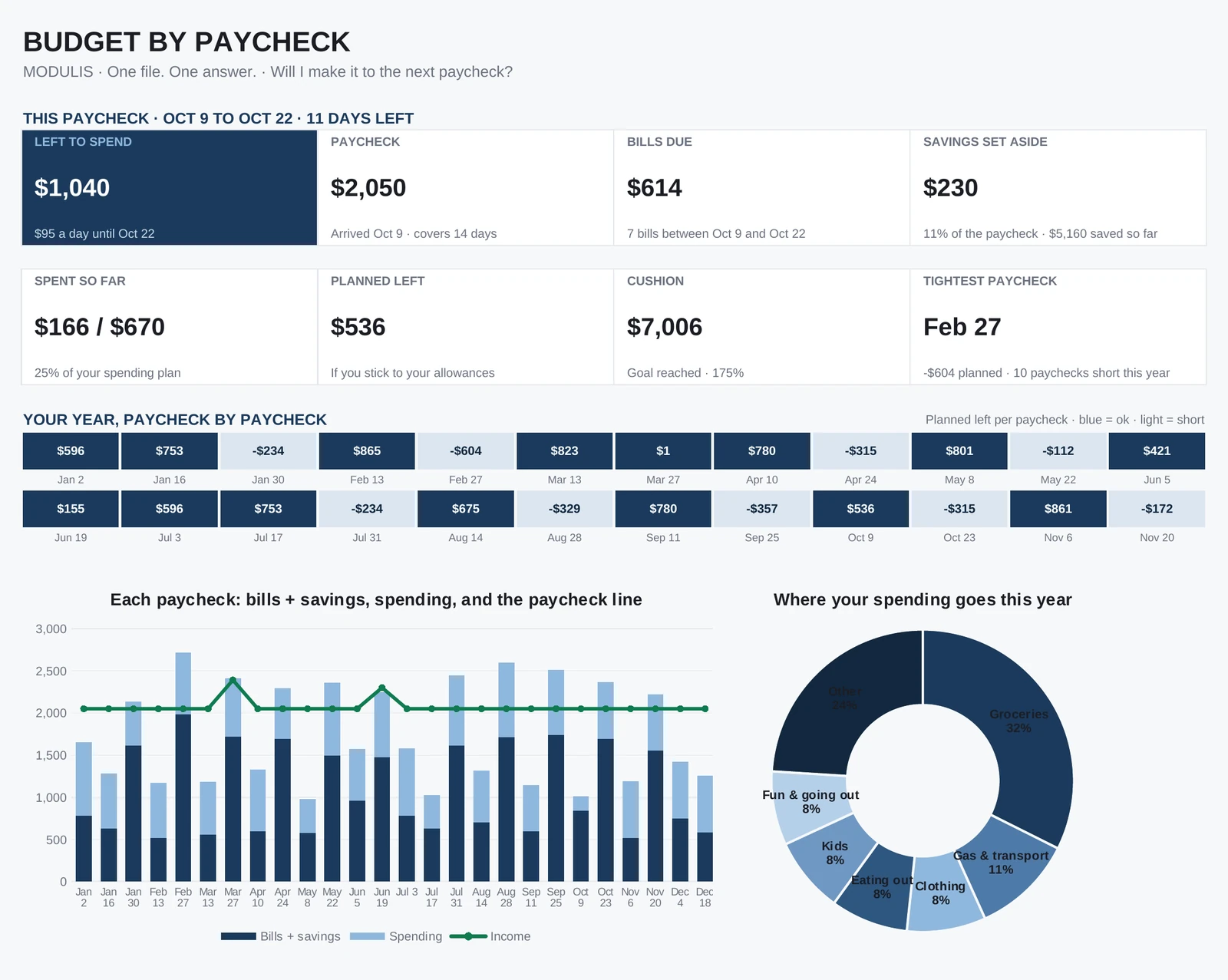
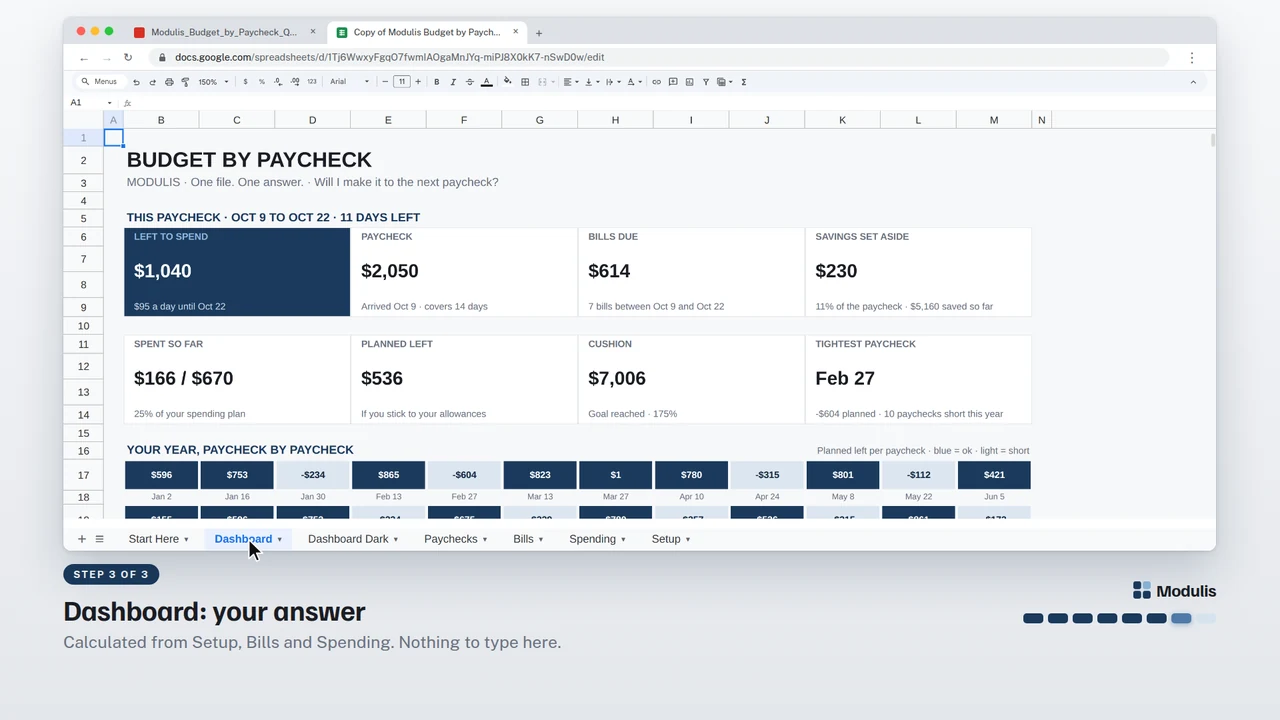
Everything on this page is calculated from the tabs you fill in. Here is what each part tells you, shown with the sample data.
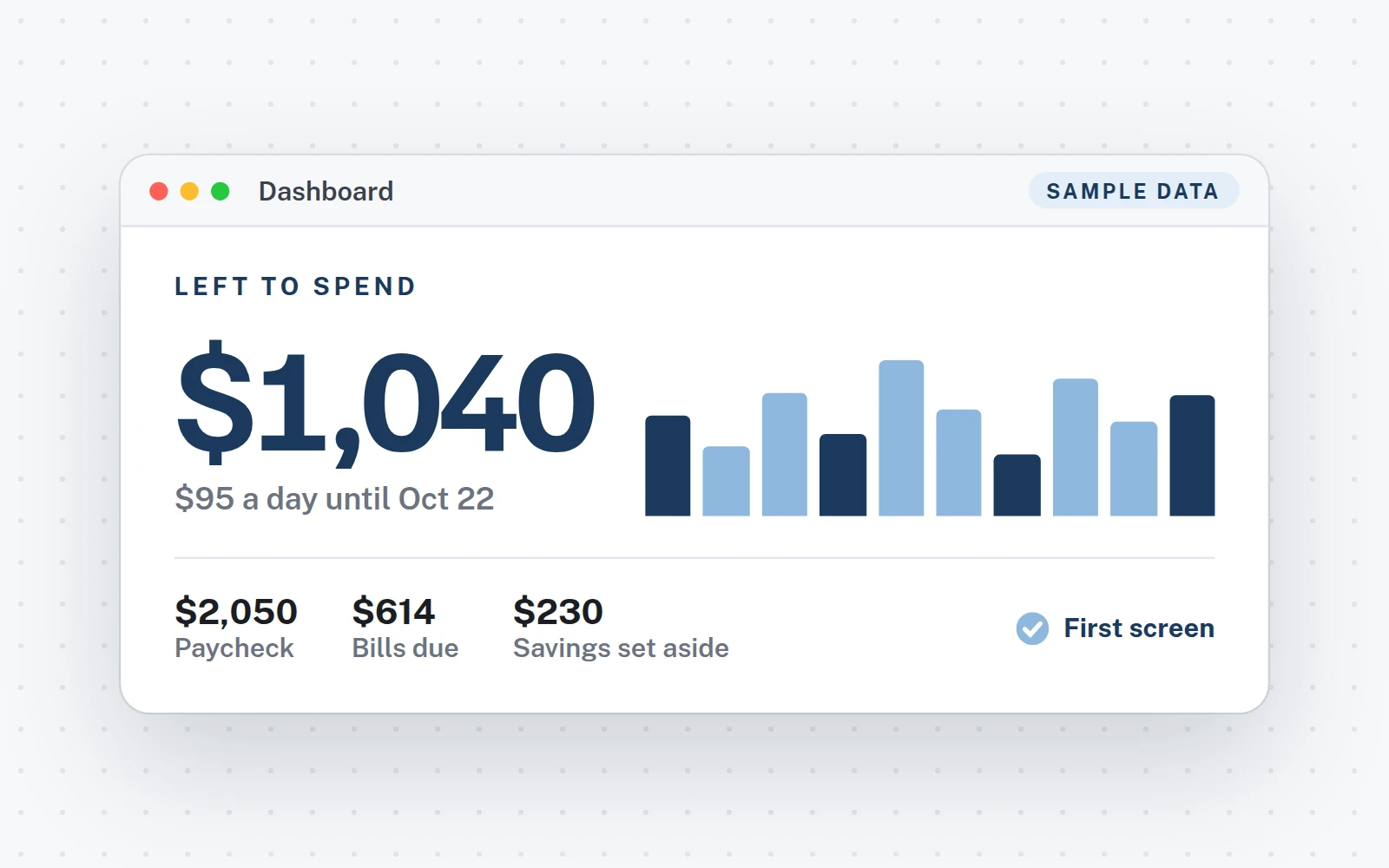
- 1Left to spendYour answer: what is really yours until the next paycheck, and how much a day.
- 2Paycheck, bills due, savingsWhat came in, what is due before the next paycheck, what you set aside for your goals.
- 3Spent so far, planned leftWhat you logged this paycheck against your spending plan, and what is left if you stick to it.
- 4Cushion, tightest paycheckWhat stays in your account between paychecks, and the paycheck with the least room this year.
- 5Your year, paycheck by paycheckPlanned left on every paycheck: blue = ok, light = short. You see the heavy ones coming.
- 6Each paycheckBills and savings, spending, and the paycheck line, all year.
- 7Where your spending goesYour top categories this year. Below: bills due, spending vs plan, goals and what-if.
How it works
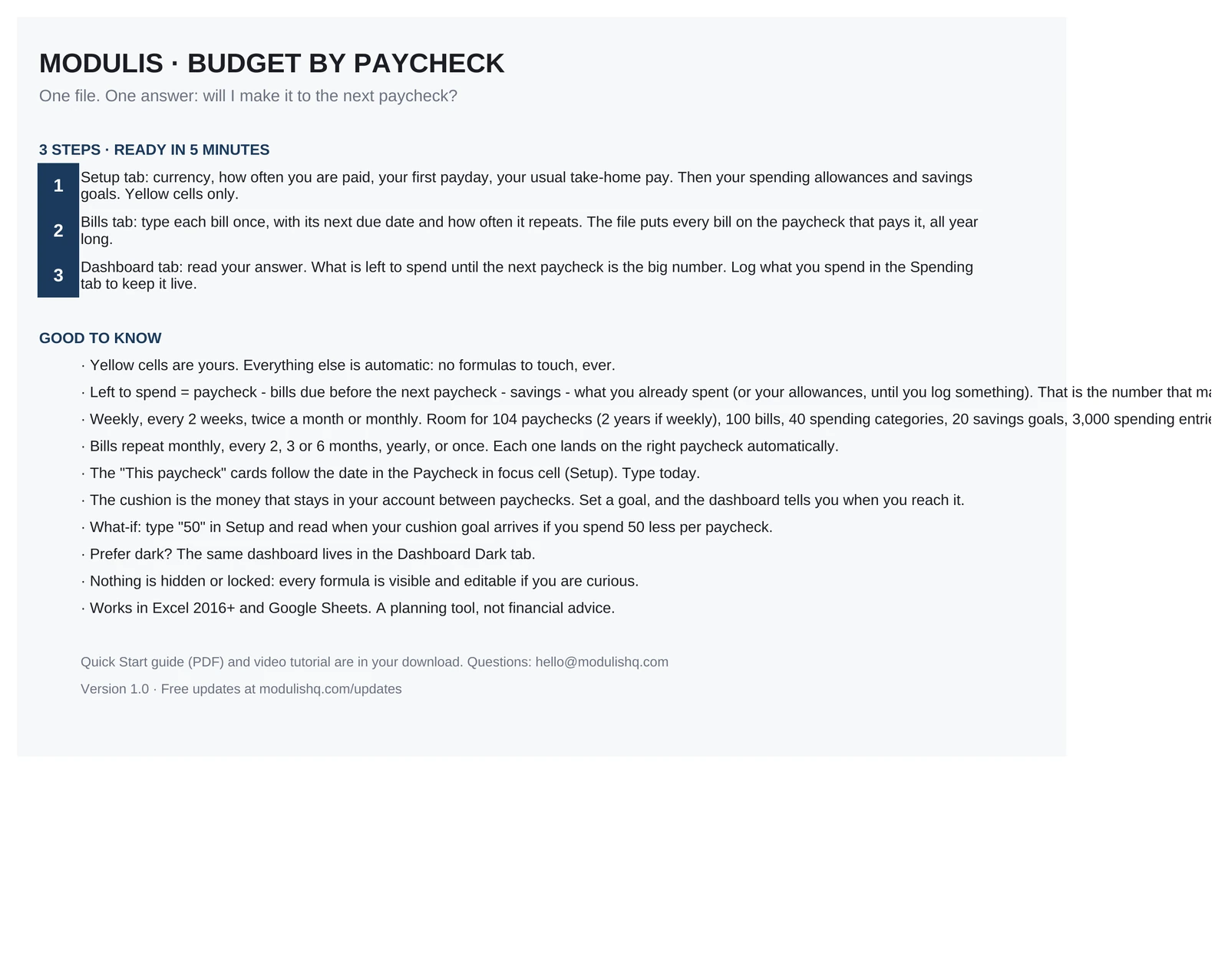
Three steps, about 5 minutes.
11 minute
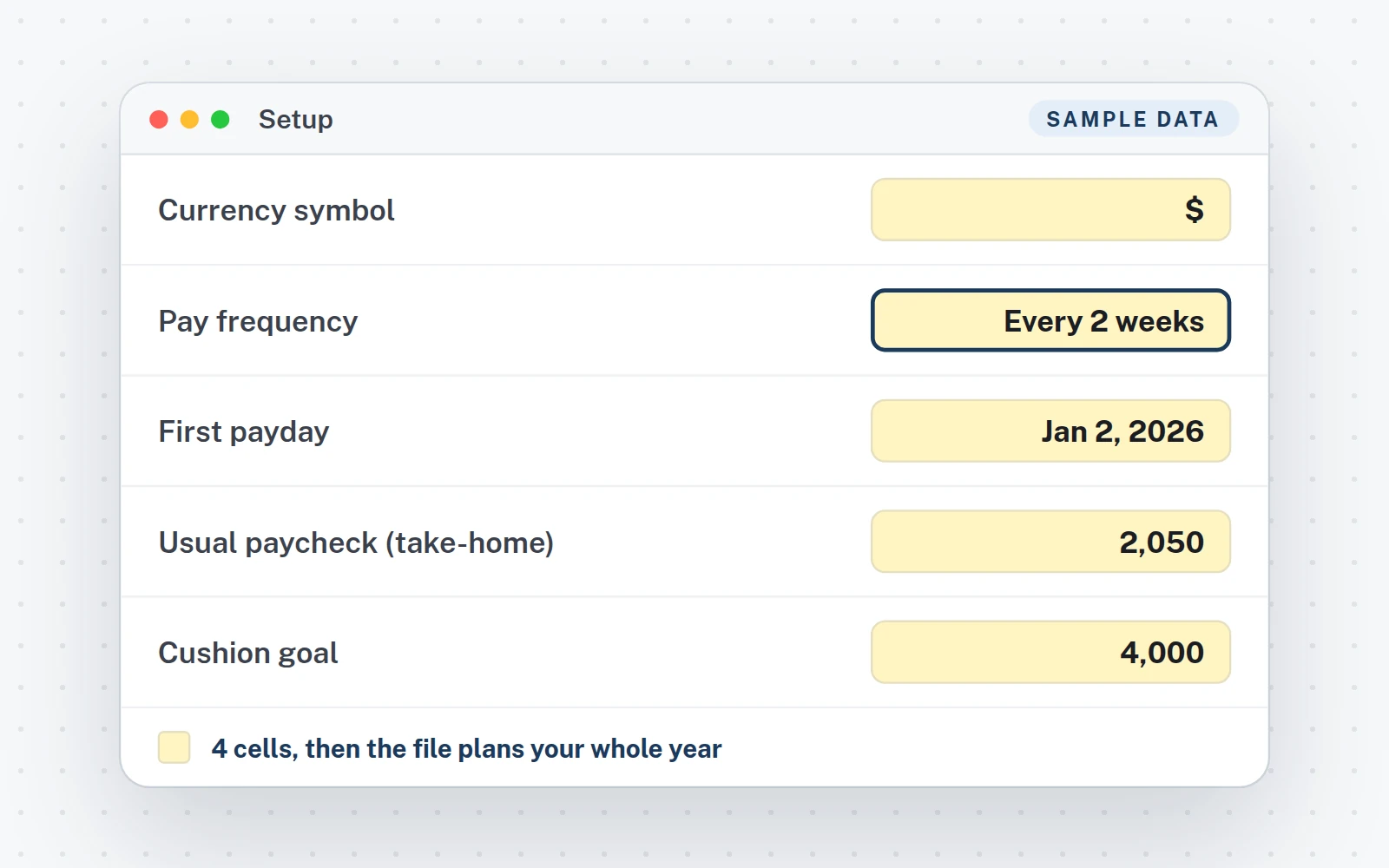
Say how you are paid
Setup tab: currency, pay frequency, first payday, usual take-home pay. Your allowances and savings goals are there too.
23 minutes
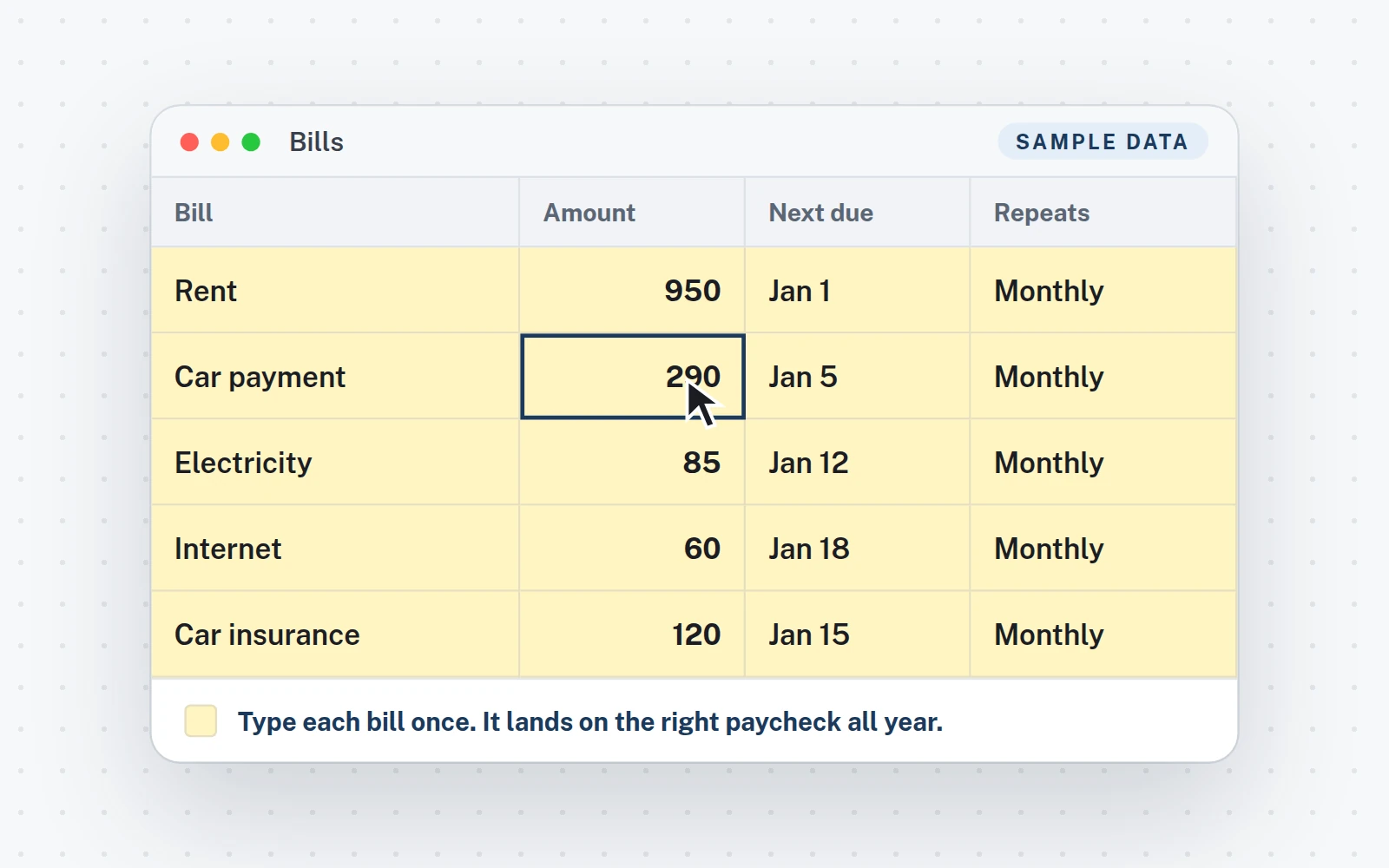
Type each bill once
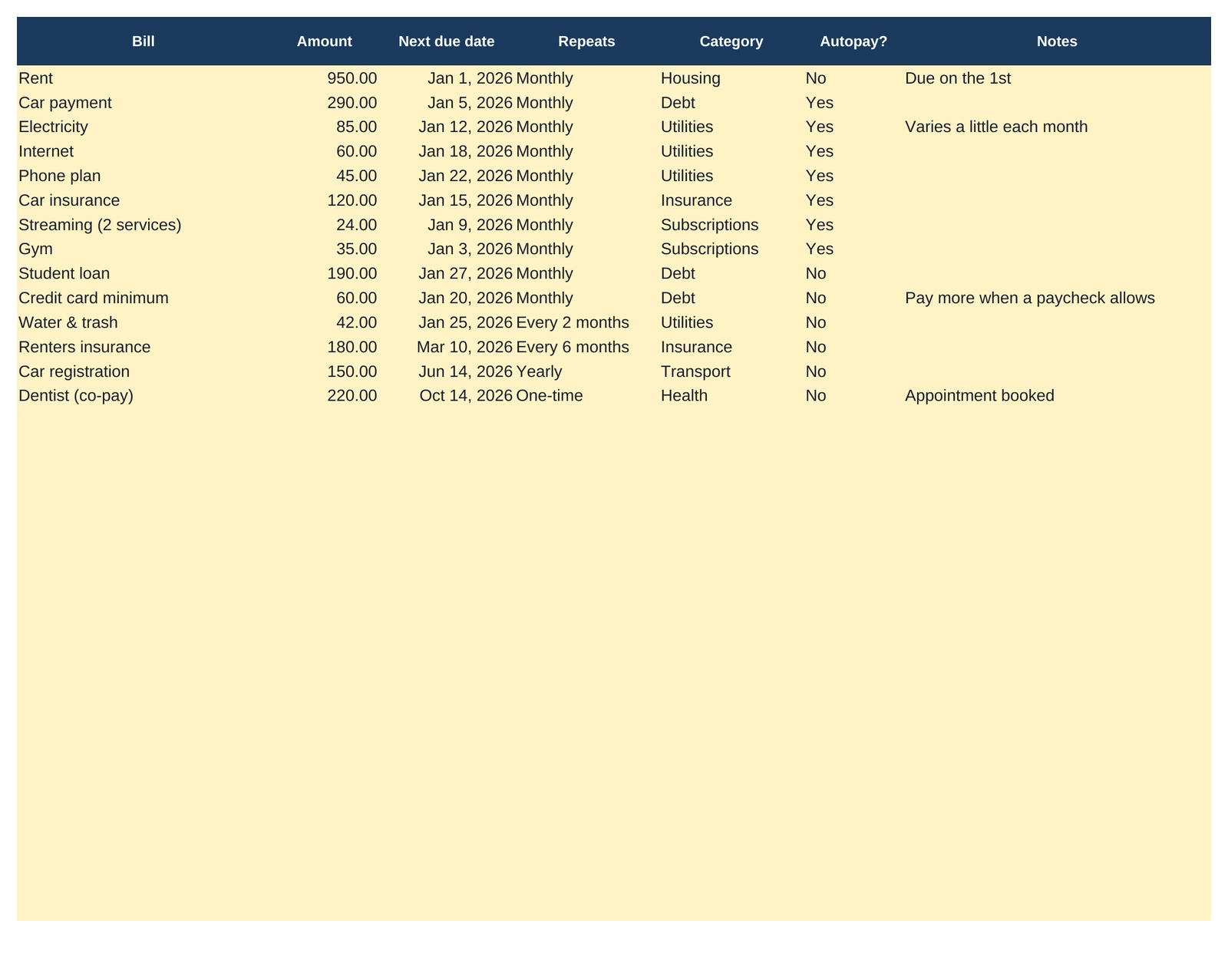
Bills tab: name, amount, next due date, how often it repeats. Replace the 14 sample bills, up to 100.
3Instant
Read your answer
Dashboard tab: what is left to spend until the next paycheck is the first thing on the page.
What you get
Everything in the download.
The files
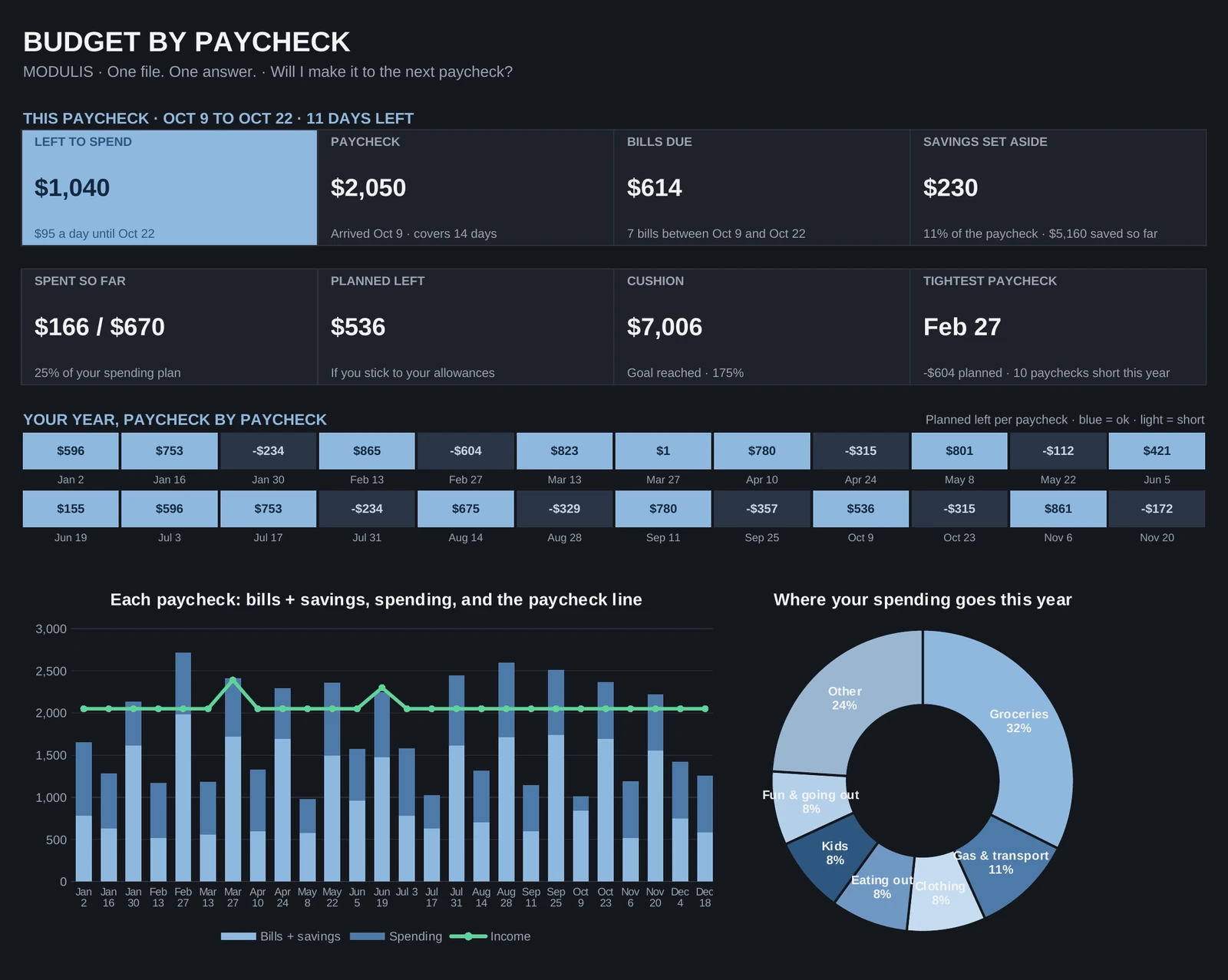
- XLSXThe Excel fileTabs: Start Here · Dashboard · Dashboard Dark · Paychecks · Bills · Spending · Setup.
- Your Google Sheets copyClick the link in your PDF, then Make a copy: it is yours, in your Drive.
- Quick Start guideA 5-page PDF: your links, then the setup step by step.
- Video tutorial (1:45)From the download to your answer.
- Free updatesNew versions at no cost, where you bought the file.
Works in
- Excel 2016 or newerWindows and Mac. Made for a computer screen.
- Google SheetsIn your browser, with a free Google account.
- Real formulas, nothing lockedThe calculations sit in one hidden tab you can unhide.
- $€£Any currency, any regional settingType your symbol once. Labels are in English; the formulas work in any Excel or Google Sheets language. No macros, no add-ins.
Try it
Move the savings. Move the what-if. Read the answer.
This is the Budget by Paycheck template's own math, running on its sample paycheck (Oct 9 to Oct 22: $2,050 in, $614 of bills, $166 already spent). Your file does the same with yours.
Bills due before the next paycheck$6147 bills, each on the paycheck that pays it
Cushion at the end of the year$8,872instead of $8,572
Left to spend = paycheck, minus the bills due before the next paycheck, minus savings, minus what you already spent. The what-if cell in Setup applies to every paycheck left in the year: 6 in the sample. In the file, any single paycheck can differ, and every bill and spending line lands on its paycheck by itself.
Left to spend
$1,040
$95 a dayuntil Oct 22, 11 days
Savings set aside first$230
Your cushion goal is already reached. Spend $50 less per paycheck and your cushion ends the year at $8,872 instead of $8,572.The same sentence, on the file's dashboard
 1:45
1:45
Video tutorial · 1:45
Watch the whole setup.
- 0:00Your download: the template, the Quick Start PDF and your Google Sheets copy
- 0:16Start here, then step 1: Setup, how you are paid, allowances, goals and what-if
- 0:43Step 2: type each bill once, it lands on the right paycheck all year
- 1:02Spending, and the Paychecks tab: your whole year, one line each
- 1:16Step 3: read your answer on the dashboard, and dark mode
FAQ
Questions about this file.
How do bills land on the right paycheck?
Type each bill once in the Bills tab: amount, next due date and how often it repeats (monthly, every 2, 3 or 6 months, yearly, one-time). From that date on, every occurrence is placed on the paycheck that covers it, all year long. Up to 100 bills.
What is "left to spend"?
Your paycheck, minus the bills due before the next paycheck, minus the savings you set aside, minus what you already spent. Until you log spending, the file uses your allowances. It is what is really yours until the next paycheck, not what is in the account.
I am paid weekly, twice a month, monthly. Does it work?
Yes. Pick your pay frequency in Setup: weekly, every 2 weeks, twice a month or monthly. Type your first payday and every other payday is calculated. Room for 104 paychecks, two years if you are paid weekly.
A paycheck is different one time. What do I do?
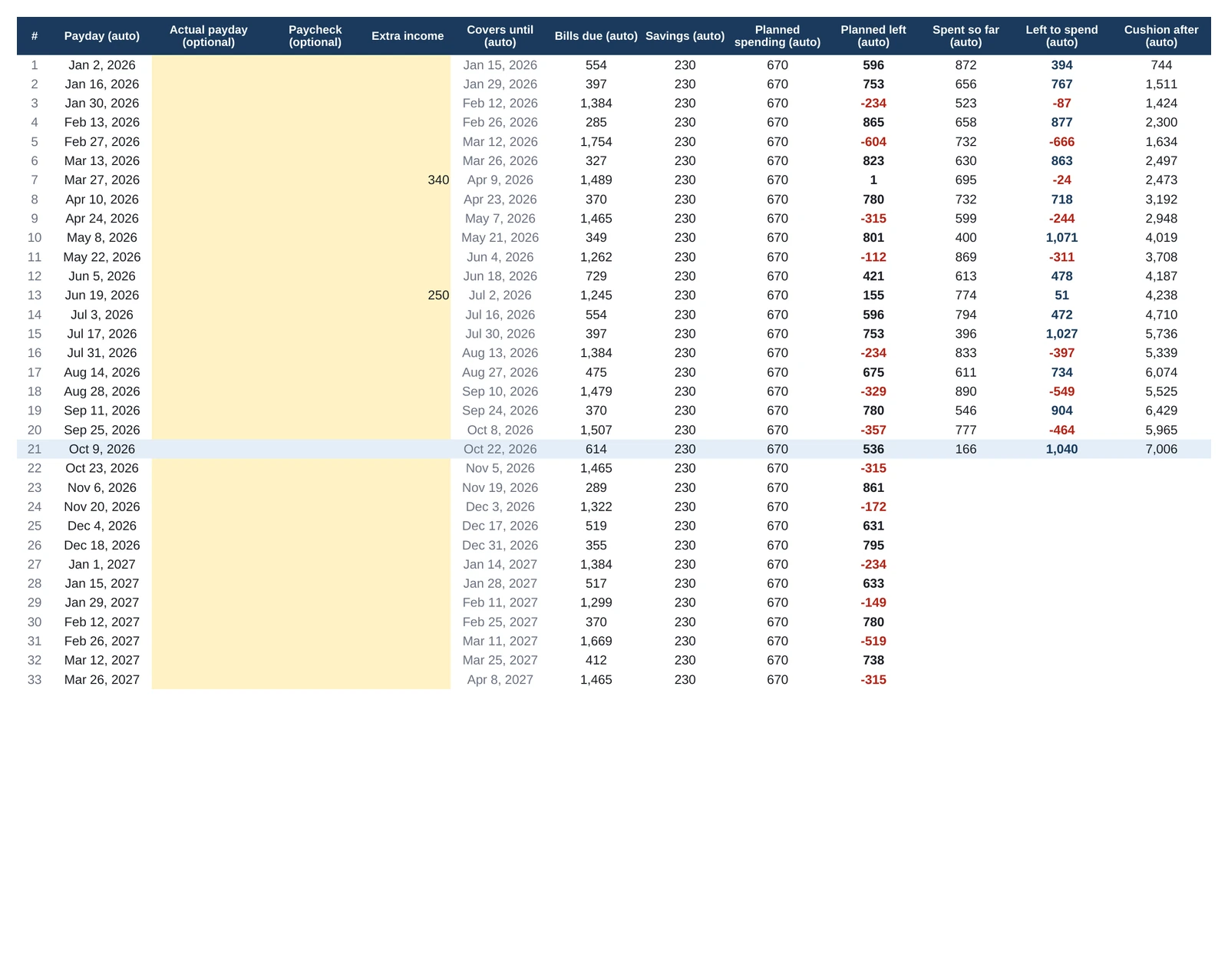
Type its amount on its line in the Paychecks tab, or add an extra income there. Everything else stays automatic. The same tab shows your whole year: bills due, savings, planned left and cushion for every paycheck.
What is the cushion?
The money that stays in your account between paychecks, a safety net. Set a goal in Setup (two paychecks ahead is a good first goal) and the dashboard tells you when you reach it, and what spending 50 less per paycheck would change.
Is it made for phones?
No. It is built for a computer screen: Excel 2016 or newer on Windows or Mac, or Google Sheets in a browser.
Is this financial advice?
No. It does the math on the numbers you enter. The decisions stay yours.
Budget by Paycheck · $6.99
One-time purchase · instant download · Excel and Google Sheets · free updates
Also from Modulis
Another question, another file.